
Introduction
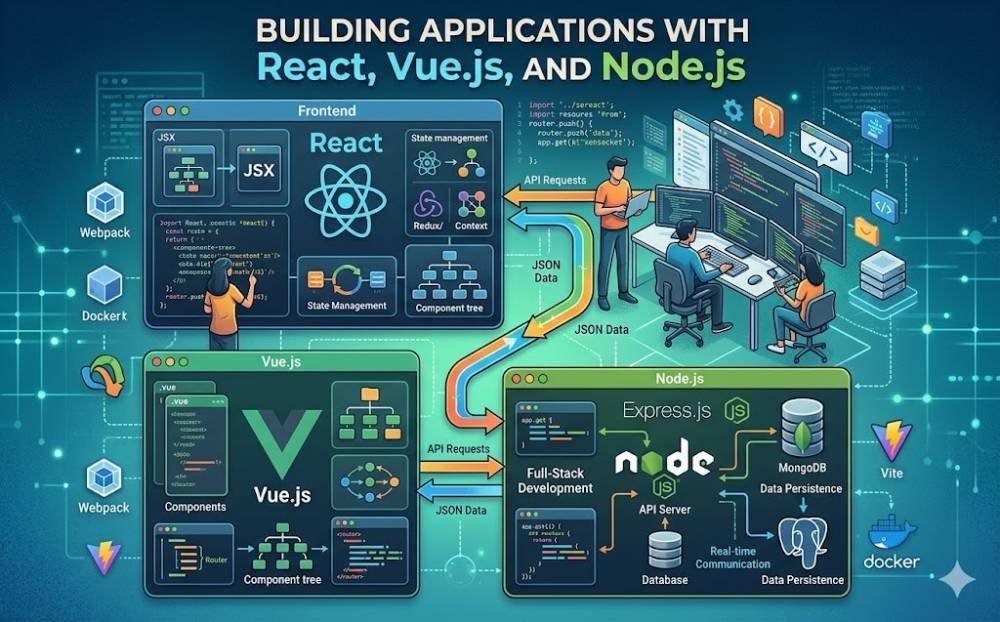
In today's web development landscape, building applications with JavaScript frameworks has become essential. React and Vue.js are two popular choices for frontend development, while Node.js serves as a powerful backend solution. This article will guide you through the essentials of using these technologies to create efficient and scalable applications.
Getting Started with React
React, developed by Facebook, is a library for building user interfaces. It focuses on component-based architecture, which allows developers to create reusable UI components. Start by setting up your project using Create React App:
- Install Node.js on your machine.
- Run npx create-react-app my-app in your terminal.
- Navigate to the project folder and start the server with npm start.
Once your app is up and running, you can begin creating components and managing state.
Exploring Vue.js
Vue.js is another fantastic framework for building interactive user interfaces. Its simplicity and flexibility make it a great choice for developers of all skill levels. To get started with Vue.js, follow these steps:
- Include Vue.js via a CDN in your HTML file, or use Vue CLI for a more structured project setup.
- Create a new Vue instance and link it to your HTML elements.
- Use directives like v-bind and v-model to manipulate data and create dynamic applications.
Node.js for Backend Development
Node.js, built on Chrome's V8 JavaScript engine, enables you to run JavaScript on the server side. It's ideal for building APIs that interact with your frontend applications. Here’s how to set up a simple Node.js server:
- Create a folder for your backend code and navigate into it.
- Run npm init -y to create a package.json file.
- Install Express.js with npm install express.
Now, create a server.js file and set up a basic server that listens for incoming requests.
Integrating React/Vue.js with Node.js
With your frontend and backend set up, you can now integrate them. Make API calls from your React or Vue components to your Node.js server using the Fetch API or Axios.
Conclusion
Building applications using React, Vue.js, and Node.js is a fulfilling experience that harnesses the power of JavaScript on both the frontend and backend. Start experimenting with these frameworks today to create robust applications!